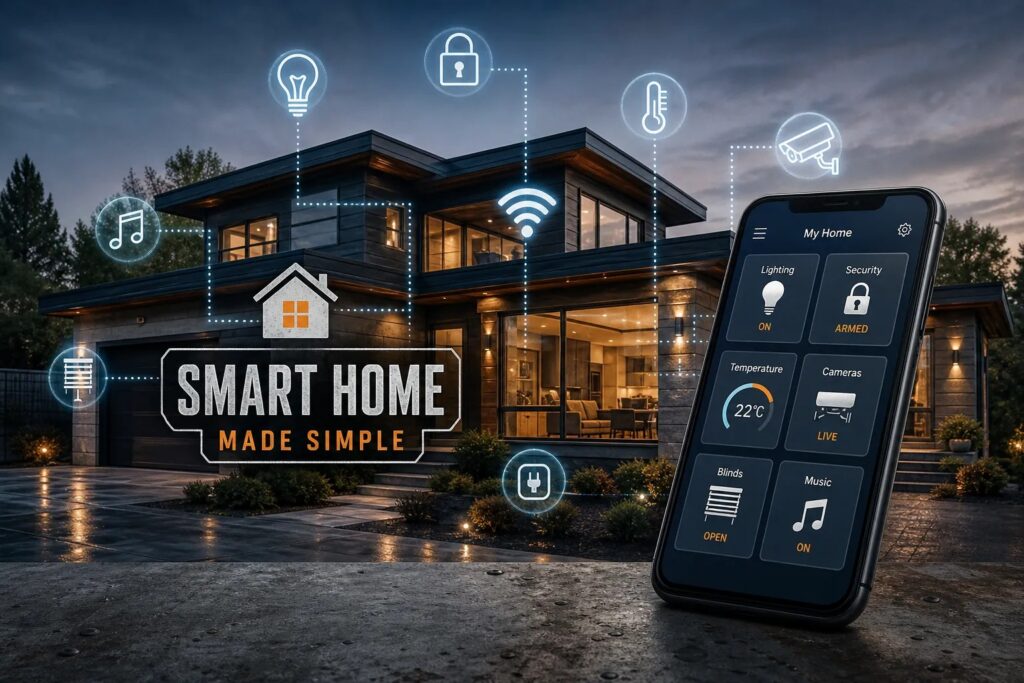
A smart home automation system can make it easier to manage different parts of your home while giving you greater control over how they operate.
However, installing smart technology involves more than choosing individual devices. You need to consider how the system will work with your home, what installation may involve and how much you should expect to pay.
If you’re considering home automation for your home in Surrey or Greater London, this guide explains what you need to know before getting started.
Key Takeaways
- A smart home automation system allows you to control different areas of your home from any location.
- With a home automation system, you can control your lighting, heating, home security, and EV charger.
- A few smart devices can cost a few hundred pounds, while a more integrated professionally installed system can cost several thousand pounds or considerably more, depending on its scope and level of customisation.
- Before installation, your Wi-Fi, internet connection and electrical system need to be suitable for the technology you plan to use, particularly where fixed electrical work is involved.
What Is a Smart Home Automation System?
A smart home automation system is a technology setup that allows you to monitor and control different parts of your home automatically and from any location through the internet.
Depending on the system you choose, you can automate:
- Lighting: With a smart home system, you could set your lights to come on automatically when you arrive home or switch off when you go to bed or leave the house.
- Heating: If you often forget to turn the heating on until your home has already become cold, automation can make this easier. You can set your heating to come on before you wake up or before you arrive home.
- Home Security: When you’re away from home, you may still want to know what’s happening around your property. Depending on the system, you can connect cameras, doorbells, locks and sensors.
- Blinds and Curtains: You don’t always have to get up to adjust the blinds or curtains around your home. You can set them to open in the morning, close in the evening or adjust them when you’re away.
- Entertainment: If you enjoy listening to music or watching films at home, automation can make it easier to control your entertainment devices. For example, you could control compatible televisions and speakers from one place rather than using several different controls.
- EV Charging: If you have an electric vehicle, you can schedule your charging to start and stop at specific times, such as overnight, so it happens automatically without you having to remember each time.
- Energy Management: Keeping track of your electricity bills can be stressful, but automation can reduce the effort involved.
A smart energy system can monitor your electricity use in real time and automatically switch off standby appliances when they aren’t needed. It can also work with your solar panels or battery storage to help you use energy more efficiently.
What Are the Benefits of Home Automation?
Home automation is not just about having the latest technology in your home. It allows your home to work around your routines and preferences.
Here are some of the benefits of smart home automation:
Make Everyday Life Easier
Rather than having to keep doing small tasks like switching lights on and off, adjusting the heating or closing the blinds, you can use a smart home automation system to handle some of these tasks for you.
This can be particularly useful when you are busy or simply have a lot going on. Once your routines are programmed, the system can carry out certain tasks automatically.
Make Your Home More Comfortable
After a long day at work, the last thing you want is to come home to a cold house and wait for it to warm up.
With home automation, you can have your heating come on before you arrive, so your home is already comfortable when you walk through the door.
You can also create routines around other parts of your home. For example, your blinds can open automatically at a pre-set time in the morning and close in the evening, while your lighting can change at different times of the day, depending on the level of light coming in from outside.
Manage Energy, Use More Effectively
Home automation can also give you more control over how and when energy is used in your home.
Instead of leaving certain systems running simply because you forgot to switch them off, you can set them to operate at particular times or in response to certain conditions.
For example, you could schedule your heating around when you are normally at home or set your EV charger to charge from a surplus of solar power. This does not automatically mean you will use less energy but will help to reduce your bills.
Having a greater control over when systems operate can help you avoid unnecessary use and manage your household energy more deliberately.
Stay Connected to Your Home
Being away from home does not mean you have to be completely disconnected from what is happening there.
Depending on the system you install, you can connect security cameras, video doorbells, locks and sensors to your smart home automation system.
You may be able to receive an alert when someone approaches your door or check a camera while you are away. This can be useful when you are at work, travelling or simply out for the day.
If your plans change, you may also be able to adjust your home without having to return first.
What Should You Consider Before Installing Home Automation?
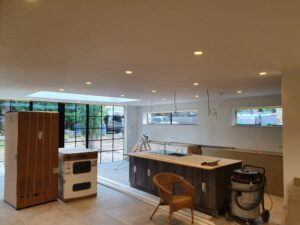
Before installing a smart home automation system, it is worth taking some time to think about whether it is right for you before going ahead.
Planning carefully from the beginning can help you choose a system that works well with your home and fits the way you want to use it.
Here are some things to consider before installing a home automation system:
1. Think About What You Want to Automate
Before choosing products, think about what you want home automation to change about the way you use your home.
It might be that you only want to make a few daily routines easier, or you may want several parts of your home to work together.
Once you know what you want the system to achieve, you can choose the right devices and level of automation for your home, rather than buying products individually and trying to connect them later.
2. Decide Which Type of System Is Right for Your Home
Once you know what you want to automate, the next decision is how the system will be installed. Broadly, home automation can be installed using wireless technology, wired systems or a combination of both.
Wireless Home Automation Systems
A wireless system can be a practical option if you want to add automation to an existing home without carrying out extensive rewiring.
These systems can be retrofitted into an existing electrical installation, with compact modules installed behind switches, lights or sockets that you want to automate.
The devices communicate wirelessly, allowing different parts of the system to work together and, depending on the system, be controlled through an app.
This approach can be particularly suitable for smaller home automation projects where you only want to automate selected areas of your home.
For example, you might want to add smart control to your lighting, heating or blinds without opening walls or making significant changes to the property.
Theben’s LUXORliving range includes wireless options designed for existing homes, extensions and finished interiors where installing new cabling may not be practical.
Theben also offers wireless devices that use Bluetooth Mesh, allowing compatible devices to communicate with one another across the property.
One of the main advantages of a retrofit system is that it can reduce the disruption associated with installation. However, wireless communication can be affected by the layout of the property and the environment in which the devices operate.
So, the system still needs to be planned properly to achieve reliable communication between devices.
Wired Home Automation Systems
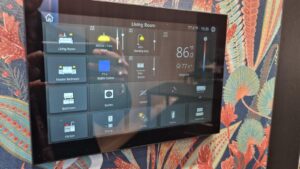
A wired system is more suited to a larger or more comprehensive home automation project where several systems need to communicate with one another.
One example is KNX, an open protocol building automation standard that allows compatible products from different manufacturers to work within the same system.
KNX can be used across a wide range of applications, including lighting, heating, blinds, security and energy management.
Unlike a simple retrofit system, a wired installation requires specialist communication cabling to be incorporated into the property.
This makes it particularly suitable for a new build or a major refurbishment, when walls and ceilings are already being opened up and the electrical installation is being planned from the beginning.
With a larger KNX-based system, the level of automation can also be much more extensive. The system can bring different parts of the home together so that they can respond to information from other devices.
For example, a system can use weather information to influence shading or heating, while energy management can take information from systems such as solar panels, battery storage and EV charging equipment.
KNX installations can also provide centralised control through touch panels, smartphones and other interfaces.
The main consideration is that a more comprehensive wired system requires more planning, installation work and specialist equipment, so the cost will depend on the size and complexity of the project.
Which System Should You Choose?
If you have an existing property and want to automate a few areas without carrying out major building work, a wireless retrofit system may be more appropriate.
If you are building a new home or carrying out a major refurbishment and want several electrical and building services to work together, a wired system can provide the infrastructure for a much more extensive installation.
There is also the option of combining wired and wireless technologies. Theben, for example, offers LUXORliving systems that can use wired, wireless or hybrid installations.
Check That Your Devices Will Work Together
If you want to use products from different manufacturers to automate several parts of your home, you’ll have to consider whether the devices you choose can work together.
While a smart thermostat, lighting system or security camera may work well on its own, that doesn’t necessarily mean it will work with the other devices in your home.
That’s why, before buying anything, you’ll need to check what each device requires and whether it is compatible with the system you want to create.
Some devices may only work in their own mobile app or online account and can’t communicate with other devices, so these can affect how you use the system.
At the same time, it’s worth thinking about how long you’ll be able to use the device. The UK’s National Cyber Security Centre recommends checking how long a smart device will be supported before buying it.
That’s because manufacturers eventually stop providing security updates for some products.
Check Your Wi-Fi and Electrical Installation
Smart devices often connect to your home network, so you’ll have to consider whether your Wi-Fi and internet connection can support the devices you plan to use.
You’ll also have to consider your home’s existing electrical installation which needs to be in suitable condition to add automation devices.
If you decide to install a wired system, any problems with existing electrical installation can be resolved by installing a new circuits.
In England, electrical work in homes is covered by Part P of the Building Regulations, which sets requirements for electrical safety. This means the electrical work involved in your installation will have to meet the required safety standards, and some types of work will need to be certified.
This is where getting your home assessed before installation can be useful. GK Electrical can assess your existing electrical installation, establish what the system will require and carry out the necessary electrical work as part of the installation.
Consider Security and Privacy
Security is another factor to consider before choosing a smart home automation system.
Because smart devices can connect to your home network and may be managed through an app or online account, you should check how the devices are protected before buying them.
Privacy is particularly important if you plan to include cameras or a smart doorbell in your system. Think about what the camera will capture and where it will be positioned.
The Information Commissioner’s Office (ICO) advises homeowners to position cameras so they capture only their own property where possible. If a camera captures someone else’s property, a public area or a communal space, data protection rules may apply.
Think About What Happens If Something Goes Wrong
Before installing a smart home automation system, it is worth thinking about what you will do if something does not work as expected. What happens if your internet connection goes down?
What if a device stops working or you lose access to the app you normally use to control it? For some parts of your home, this may only be an inconvenience.
However, if you are relying on smart technology for something more important, such as a door lock, you will want to know that you can still access and use it if the smart function becomes unavailable.
For the above reasons a wired, KNX automation system is superior to the wireless one, because even if you loose internet connection the wires will still allow the system devices to communicate and operate.
This why planning your installation carefully rather than simply adding smart devices one at a time. GK Electrical Contractors can help you consider how the system will work within your home and install the electrical infrastructure needed for it.
How Much Does a Smart Home Automation System Cost?
The cost of a smart home automation system can vary considerably depending on how much of your home you want to automate.
Adding a few wireless smart devices is very different from installing a system that connects lighting, heating, security and other parts of your home through one platform.
For a simple setup, you could start with a few hundred pounds. For example, Checkatrade’s current guide puts smart bulbs at around £7 to £50 each, while a whole-house smart lighting installation can cost around £3,000 to £10,000 or more.
Once you move towards a more integrated system, the cost can rise considerably. A simple smart home controlling lighting, heating and security is estimated to cost around £5,000 to £15,000.
Adding features such as door access and intercom controls can bring this to around £8,000 to £18,000, while systems that also include multi-room audio and automated blinds or curtains can cost around £15,000 to £25,000.
More extensive systems can cost considerably more. A professionally installed system that brings several areas of the home together through one platform is estimated by Checkatrade at around £25,000 to £50,000, while high-end bespoke systems can reach £100,000 or more.
Note: These figures are intended as guides rather than fixed prices, as every installation is different.
What Affects the Cost of Home Automation?
The size of your home is one factor, but it is not the only one. The number of rooms and devices involved, the type of technology you choose, the level of automation you want and how much customisation is required, can all affect the final cost.
Your existing electrical installation can also matter. If your project requires new wiring, changes to fixed electrical circuits or other electrical work, this will need to be included in the overall cost.
Because of this, there is no single price that will suit every home. If you’re considering a smart home automation system for your home, GK Electrical Contractors can help you plan and install the system around your requirements.
Also Read
Smart Home Automation Installation with GK Electrical
Once you have decided what you want your smart home automation system to do, the next step is making sure it is installed properly and works safely within your home.
GK Electrical Contractors provides smart home automation installation for homeowners in Surrey and Greater London. Whether you want to automate selected areas of your home or create a more connected system, we can help you plan the electrical installation around your requirements.
Our team can assess your existing electrical installation, discuss the areas you want to automate and identify any changes needed to support the system. We can then carry out the required electrical work and install the equipment as part of the project.
If you’re considering home automation, speak to GK Electrical Contractors about your requirements and arrange an installation for your home.
Frequently Asked Questions
Which Company is Best for Home Automation?
There is no single best home automation company for every UK home, as the right choice depends on your property, preferred devices, budget and level of automation.
However, systems from companies such as KNX and Control4 can integrate lighting, heating, blinds, entertainment and other home controls, while a professional installer like Gk Electrical Contractors can help you choose and configure a system around your needs.
What are the Steps to Set Up a Smart Home for a Beginner?
Start by identifying what you want to automate, check that your Wi-Fi is suitable, choose compatible smart devices and connect them through a compatible app or home platform such as Google Home.
You can then organise the devices by room and create automations or routines, while more complex electrical installations may require professional setup.
What are 10 Key Features of a Smart Home?
Common smart-home features include automated lighting, smart heating and thermostats, security cameras, smart door locks, video doorbells, smart plugs, automated blinds, voice control, energy monitoring and scheduled routines.
The devices and features available will depend on the system you choose and whether the products are compatible with your chosen smart-home platform.
Can You Give Me an Example of Smart Home Automation?
For example, a “Good Morning” routine could open your smart blinds, switch on selected lights and adjust the heating at a set time.
Smart-home platforms can also combine several actions into one routine or command, reducing the need to control each device separately.